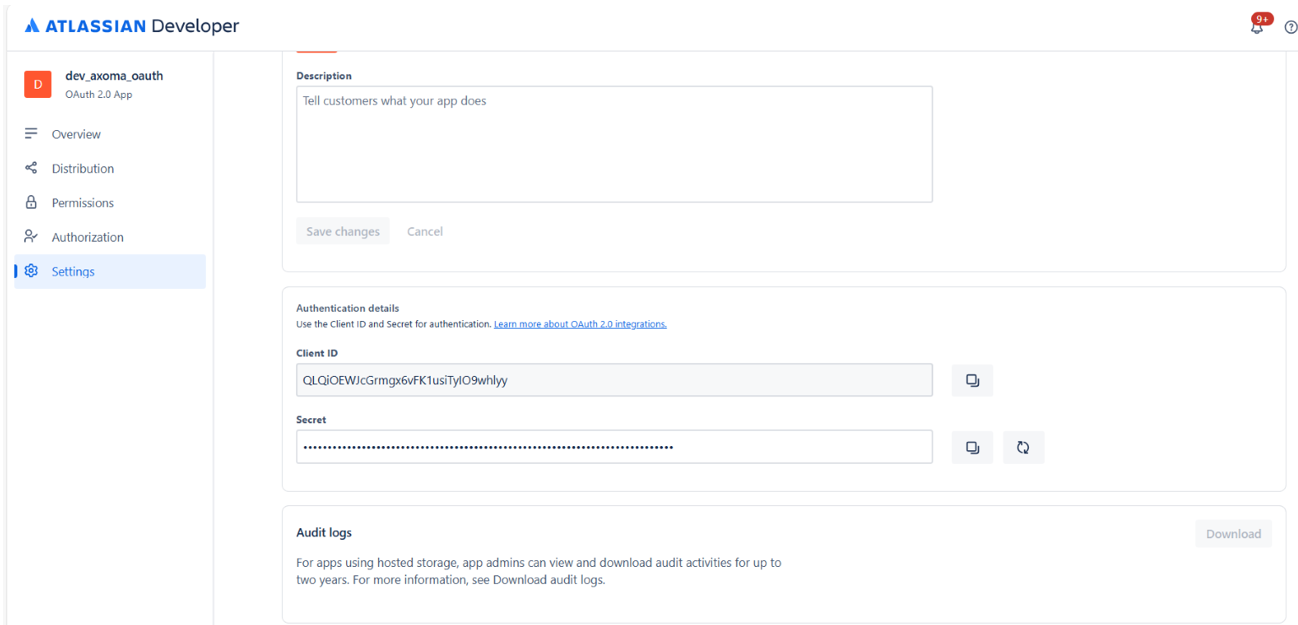

Steps to Setup OAuth in Jira
- Visit following URL – https://developer.atlassian.com/console/myapps/
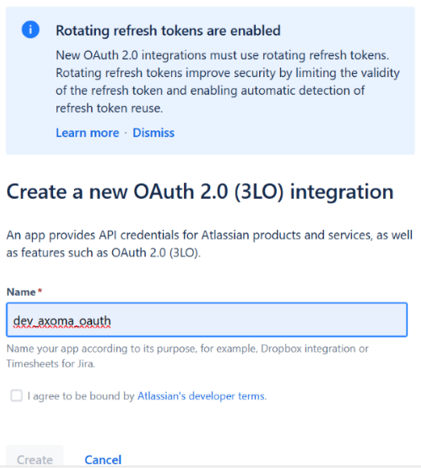
- Go to your apps and click on create an app and select OAuth 2.0 (3LO) integration.
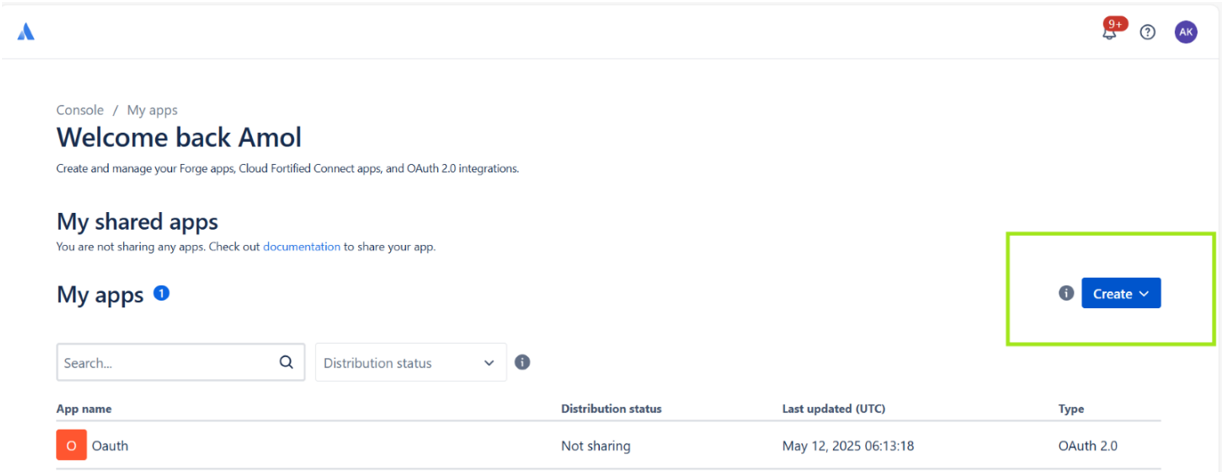
- Enter name of your app and and create
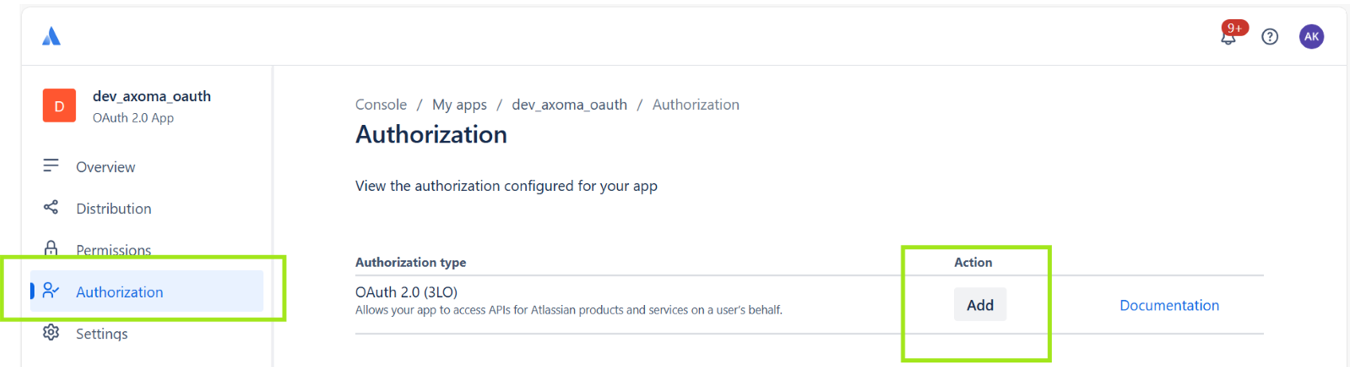
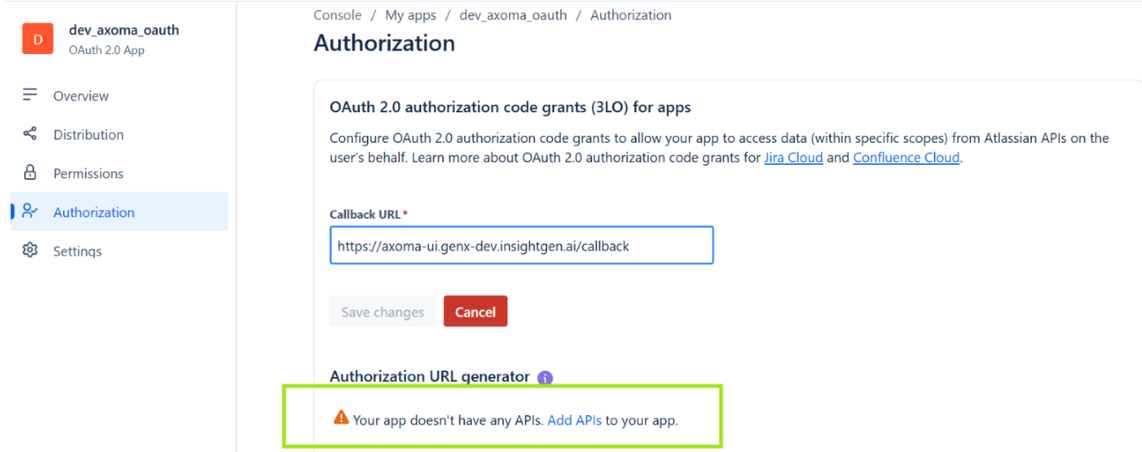
- Click on Authorization and then on add
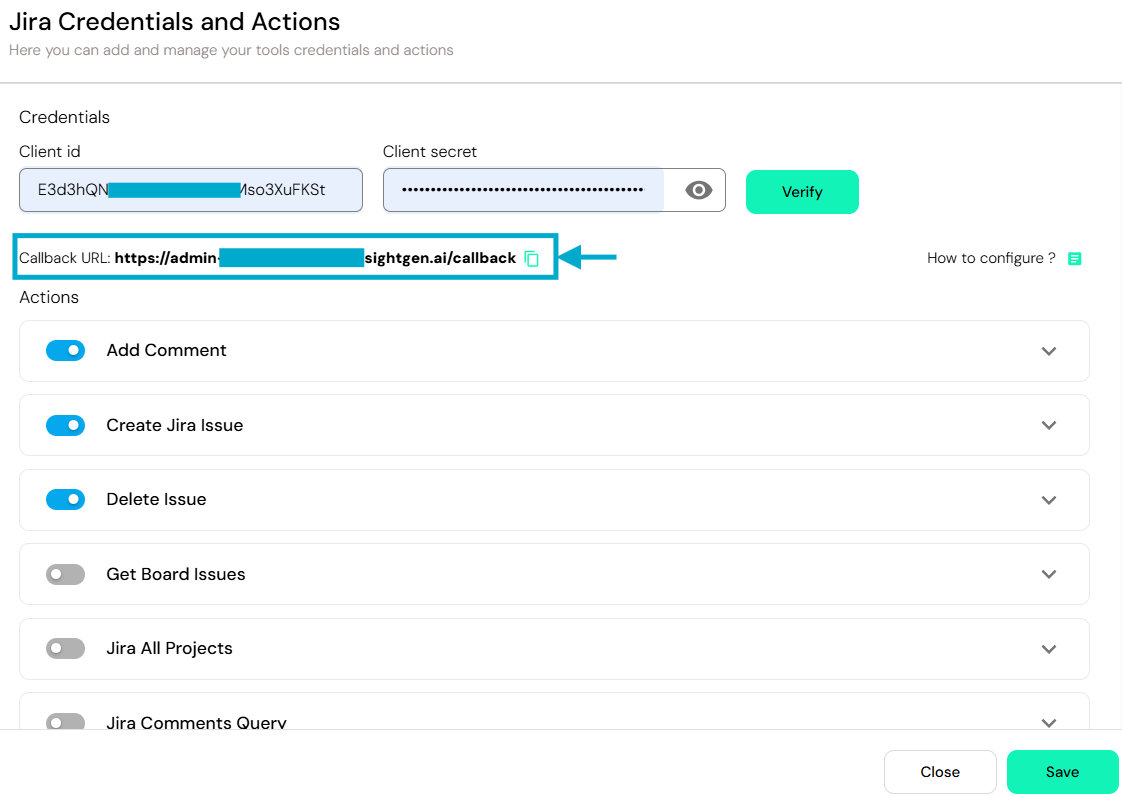
- Then enter callback url present at Axoma’s Agent Development Step 2: Tools & Integrations
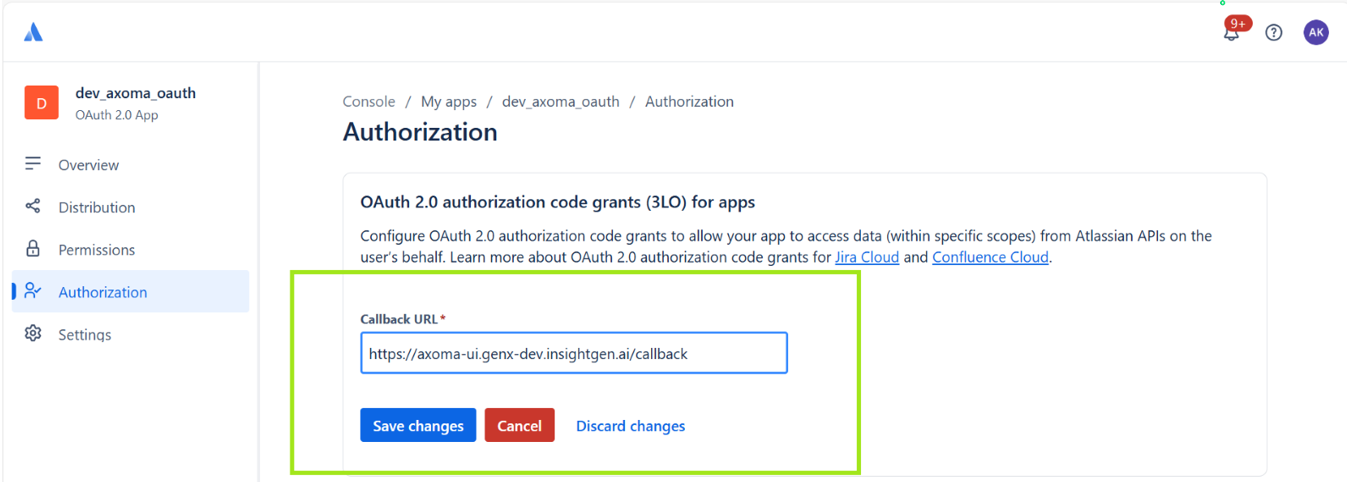
- After saving changes click on add API’s
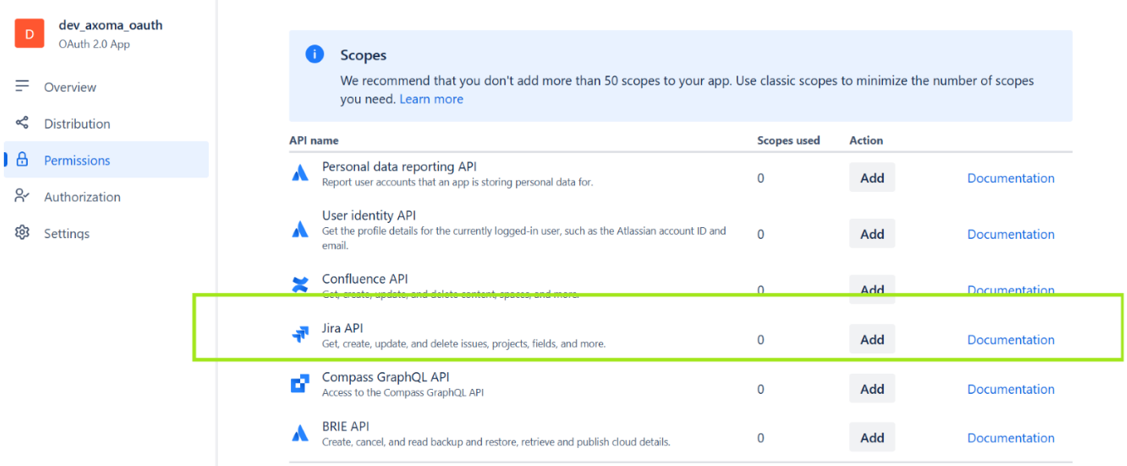
- Click on add button for jira API.
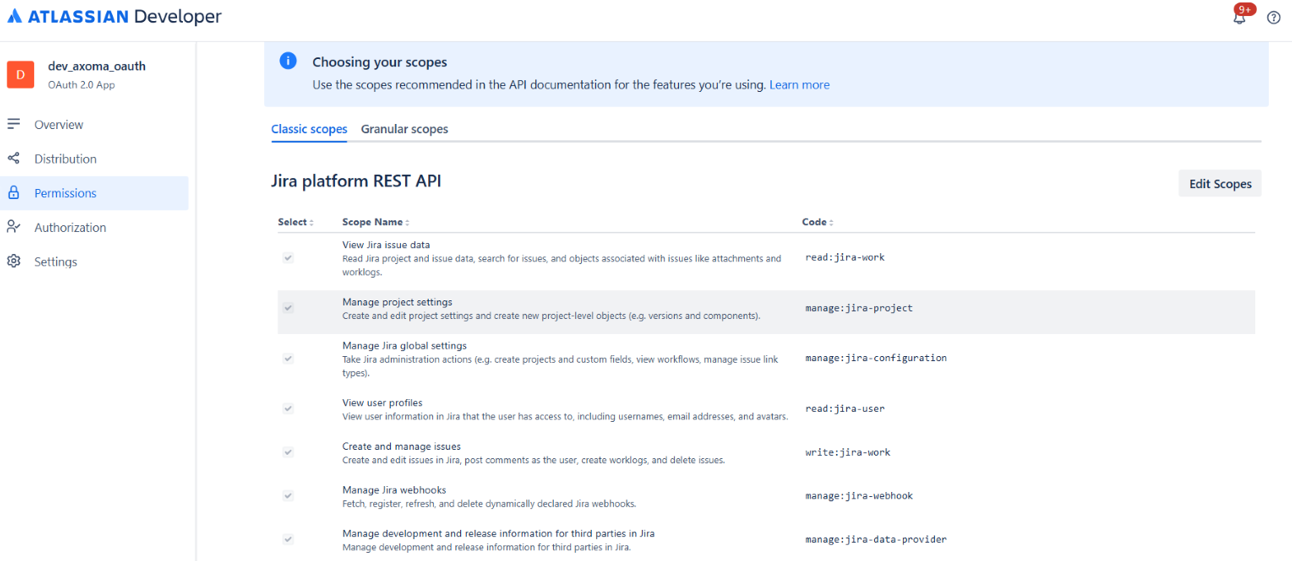
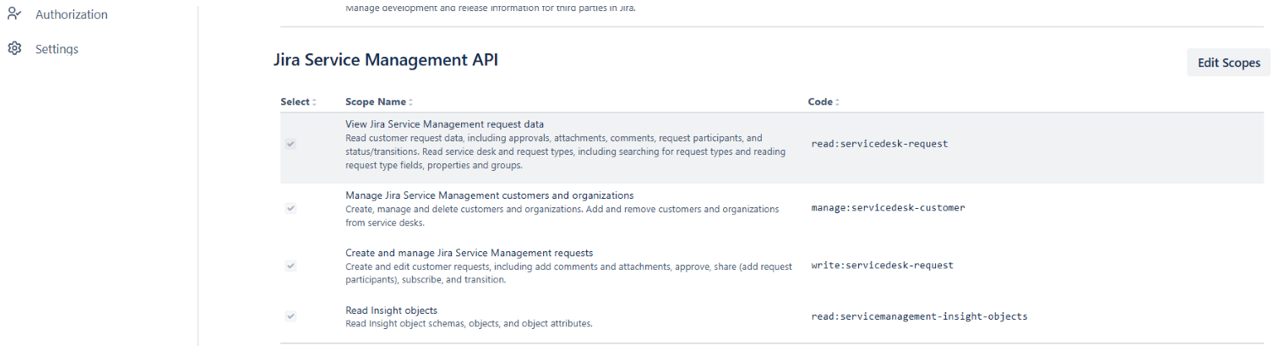
- After clicking on add click on configure and then give permissions to all scopes by clicking on edit scopes.